cPanel & Plesk Panel Licenses – Complete Guide for 2026
Web hosting control panels are essential tools that simplify server management, website deployment, and hosting operations. Among the most popular options in the industry are cPanel and Plesk. Both platforms offer powerful features, user-friendly interfaces, and flexible licensing models. Choosing the right panel and license can significantly impact your hosting business or personal website management.
What is cPanel?
cPanel is one of the most widely used Linux-based hosting control panels. It provides an intuitive graphical interface that allows users to manage domains, emails, files, databases, and security settings without needing advanced technical knowledge.
Hosting providers often pair cPanel with WHM (Web Host Manager), enabling administrators to manage multiple accounts, create hosting packages, and monitor server performance efficiently.
Key Features of cPanel:
- Easy-to-use interface for beginners
- One-click installations via Softaculous
- Advanced email and database management
- Strong security features like SSL and firewall tools
- Extensive community support and documentation
cPanel is especially popular among shared hosting providers due to its simplicity and reliability.
What is Plesk?
Plesk is another leading hosting control panel that supports both Linux and Windows servers. It is known for its flexibility, modern interface, and developer-friendly tools.
Unlike cPanel, Plesk uses a single unified interface for both administrators and users, making it easier to navigate and manage.
Key Features of Plesk:
- Supports both Linux and Windows environments
- Integrated tools for WordPress, Docker, and Git
- Strong security extensions and updates
- Developer-friendly environment
- Centralized control panel for all tasks
Plesk is often preferred by developers and agencies managing multiple websites or applications.
cPanel vs Plesk: Key Differences
While both panels serve similar purposes, there are notable differences:
1. Operating System Support
- cPanel: Linux only
- Plesk: Linux and Windows
2. Interface Structure
- cPanel: Separate interfaces (cPanel + WHM)
- Plesk: Single unified dashboard
3. Ease of Use
- cPanel: Beginner-friendly
- Plesk: Slightly more advanced but modern
4. Developer Tools
- cPanel: Basic developer features
- Plesk: Advanced tools like Git, Docker, and staging
5. Pricing Model
Both platforms now use account-based pricing, but their tiers differ based on usage and features.
Understanding cPanel License Types
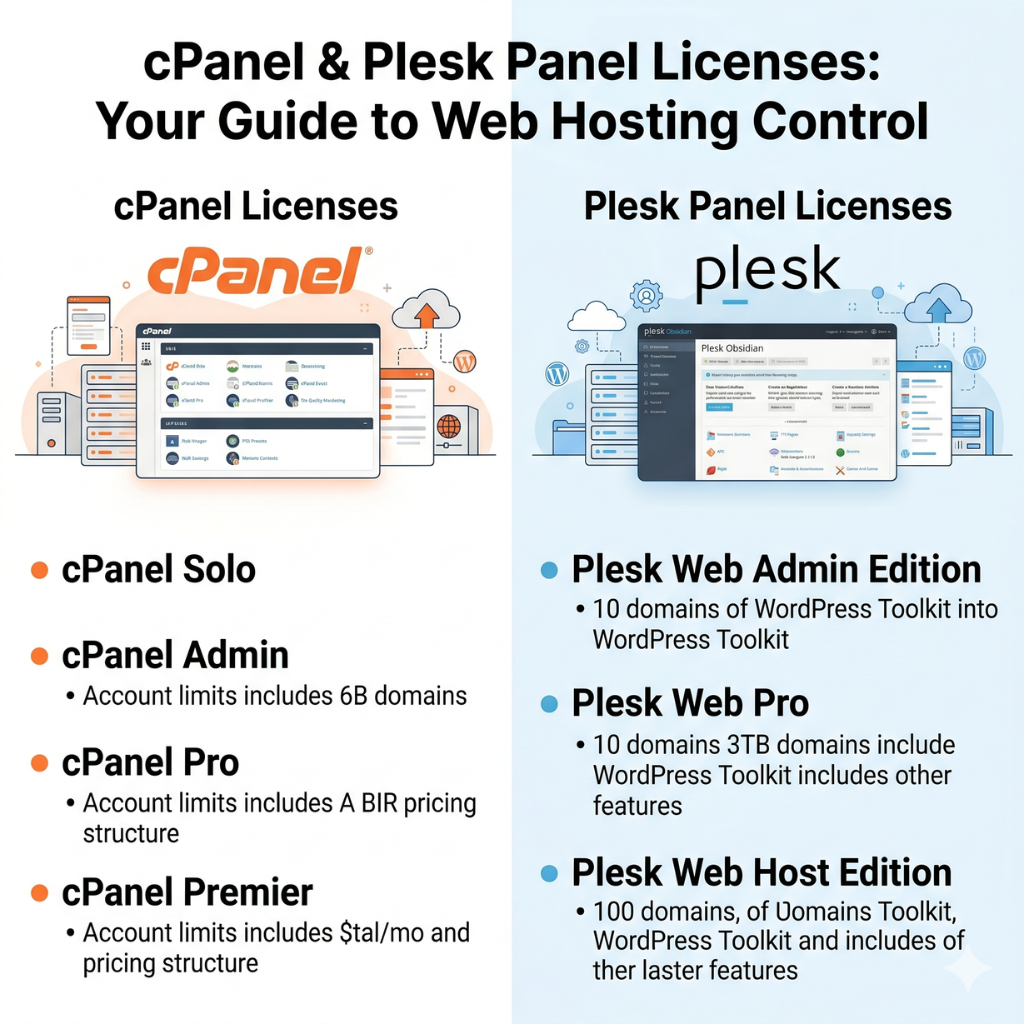
cPanel licenses are primarily based on the number of accounts you manage on a server. This pricing model replaced the older flat-rate system.
Common cPanel License Plans:
- Solo License – Suitable for single users or small projects
- Admin License – Supports up to 5 accounts
- Pro License – Supports up to 30 accounts
- Premier License – Supports 100+ accounts (scalable)
Hosting providers can also purchase bulk licenses depending on their business scale. These licenses are typically billed monthly and may vary based on the server type (VPS, dedicated, or cloud).
Understanding Plesk License Types
Plesk offers flexible licensing options depending on the number of domains and features required.
Common Plesk License Plans:
- Web Admin Edition – Up to 10 domains
- Web Pro Edition – Up to 30 domains
- Web Host Edition – Unlimited domains
Each plan includes different features, with higher-tier licenses offering advanced developer tools, security extensions, and reseller capabilities.
Plesk licenses are also available for VPS, dedicated servers, and cloud environments, making them highly versatile.
Which One Should You Choose?
Choosing between cPanel and Plesk depends on your needs:
- Choose cPanel if:
You want a simple, widely supported, and beginner-friendly control panel for Linux hosting. - Choose Plesk if:
You need flexibility, Windows support, or advanced development tools.
For hosting businesses, both panels are reliable, but your target audience and server environment will determine the best choice.
Benefits of Using Licensed Control Panels
Using official licenses for cPanel or Plesk offers several advantages:
- Regular updates and security patches
- Access to premium features and extensions
- Official technical support
- Better performance and stability
- Compliance with hosting industry standards
Avoiding pirated or nulled versions is crucial, as they can expose your server to serious security risks.
Tips for Choosing the Right License
- Assess the number of domains or accounts you need
- Consider your server type (VPS, dedicated, cloud)
- Evaluate your budget and scalability requirements
- Check compatibility with your applications
- Look for providers offering managed support
FAQs
1. What is the main difference between cPanel and Plesk?
cPanel is Linux-only and uses a dual interface, while Plesk supports both Linux and Windows with a single unified dashboard.
2. Are cPanel and Plesk licenses expensive?
Pricing depends on usage, but both offer scalable plans suitable for individuals and businesses.
3. Can I switch from cPanel to Plesk?
Yes, migration tools are available, but it may require technical expertise or professional support.
4. Which control panel is better for beginners?
cPanel is generally easier for beginners due to its simple interface and widespread usage.
5. Do I need a license for VPS hosting?
Yes, both cPanel and Plesk require valid licenses for VPS, dedicated, or cloud servers.
Conclusion
Both cPanel and Plesk are powerful control panels that simplify hosting management. While cPanel excels in simplicity and popularity, Plesk stands out for flexibility and advanced tools.
Selecting the right license depends on your hosting goals, technical requirements, and budget. By choosing a licensed and reliable solution, you ensure better security, performance, and long-term success for your hosting environment.
Comments (0)
No comments yet. Be the first to comment!
Powered by WHMCompleteSolution















Leave a Comment